Building out my upcoming homelab made one thing immediately clear: without a reliable homelab power protection foundation, a single 1-second grid flicker can turn an active virtual environment into a devastating mountain of corrupted file systems and lost configurations. Before spinning up any virtual machines or configuring storage pools, getting the power infrastructure completely dialed in had to be the absolute first order of business.
The Real-World Dilemma: Patching vs. Investing
When kicking off this build, I wasn’t dropping thousands on enterprise rackmount servers; I’m laying the groundwork by putting together a setup using old, discarded Dell desktop PCs I have lying around. The hardware itself will essentially be free, but the data living on those machines won’t be. Since keeping that data safe from sudden power losses and unexpected grid drops is non-negotiable, my power journey started with a humble, aging APC Back-UPS 575 (BN575G) sitting on the shelf. It needed a new lease on life, and tracking down a replacement battery came out to roughly $32 shipped.
That triggered a classic homelab economic crossroads:
- The Budget Route ($32): Sink money into reviving an entry-level, outdated unit that lacked modern regulation features, leaving my storage pools relying on aging internal electronics and sketchy power delivery.
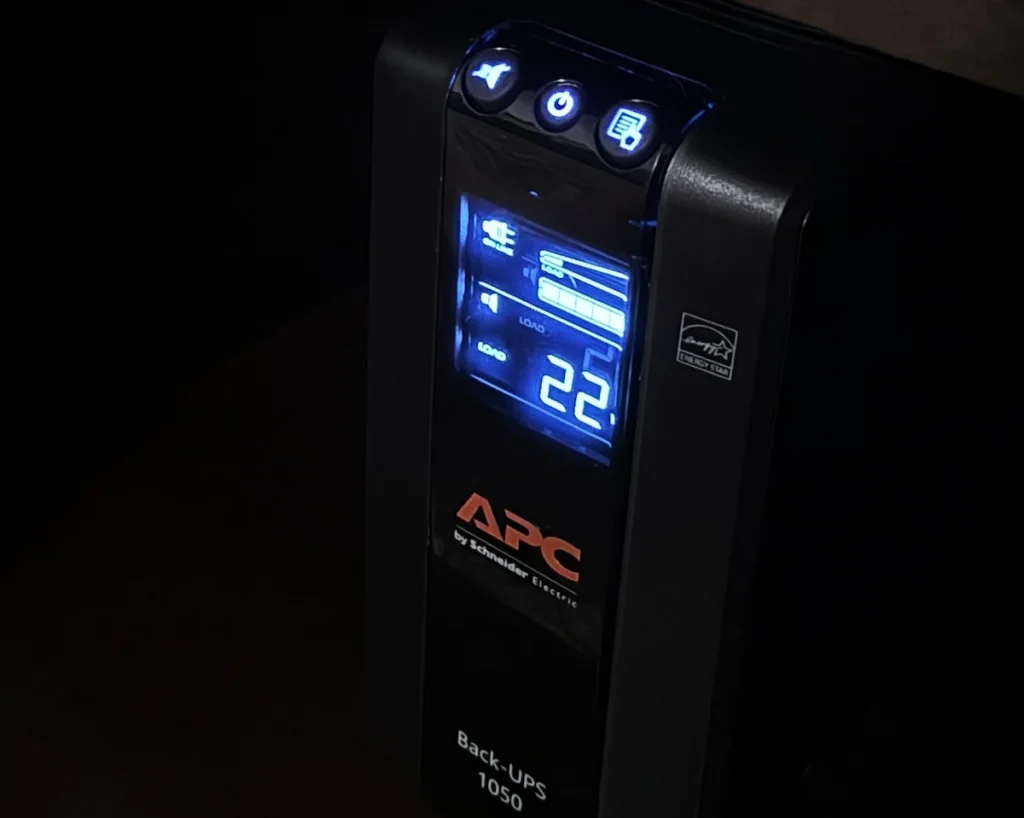
- The Upgrade Route ($109): Office Depot had the APC Back-UPS Pro BN1050M on sale for $109, that would give me a modern line-interactive unit with Automatic Voltage Regulation without breaking the bank.
When I wanted my data protected with zero worries, throwing cash at an obsolete chassis didn’t make sense. Opting for the brand-new unit meant gaining a full manufacturer warranty, cleaner power delivery, and modern capacity to safeguard my upcoming storage arrays and compute cluster. Backup power isn’t an accessory; it’s a calculated insurance policy.
Engineering for Efficiency: The “Lean Lab” Architecture & Remote Power Delivery
Once I decided to buy new, design decisions had to be made. I only had one UPS with critical infrastructure spread throughout the house, and it was installed the way it is primarily for ease of access to all the individual pieces. That physical layout dictated how everything had to tie together: the wireless router sits in the living room since it’s the most centered room in the house, Starlink is in the dining room corner because it’s an outside wall closest to the pole I mounted it on, and the structured media center where my network infrastructure terminates is tucked away in the wash room so it stays out of sight from the main living areas.
Maximizing runtime on the new BN1050M across this layout meant subjecting my setup to a strict power audit. Efficiency in a distributed house-wide setup isn’t just about battery capacity, it’s really about drawing a hard line between what must survive an outage and what gets left behind.
- Securing Outbound Comms During an Outage: To maintain outbound communication when the grid goes down, my cellular backup lives right next to the router in the living room, drawing power directly from the UPS and plugged straight into the router’s backup WAN connection. Letting Starlink drop with the power means I rely entirely on this cellular path to push out alerts if the connection drops, keeping the footprint small and cost-effective.
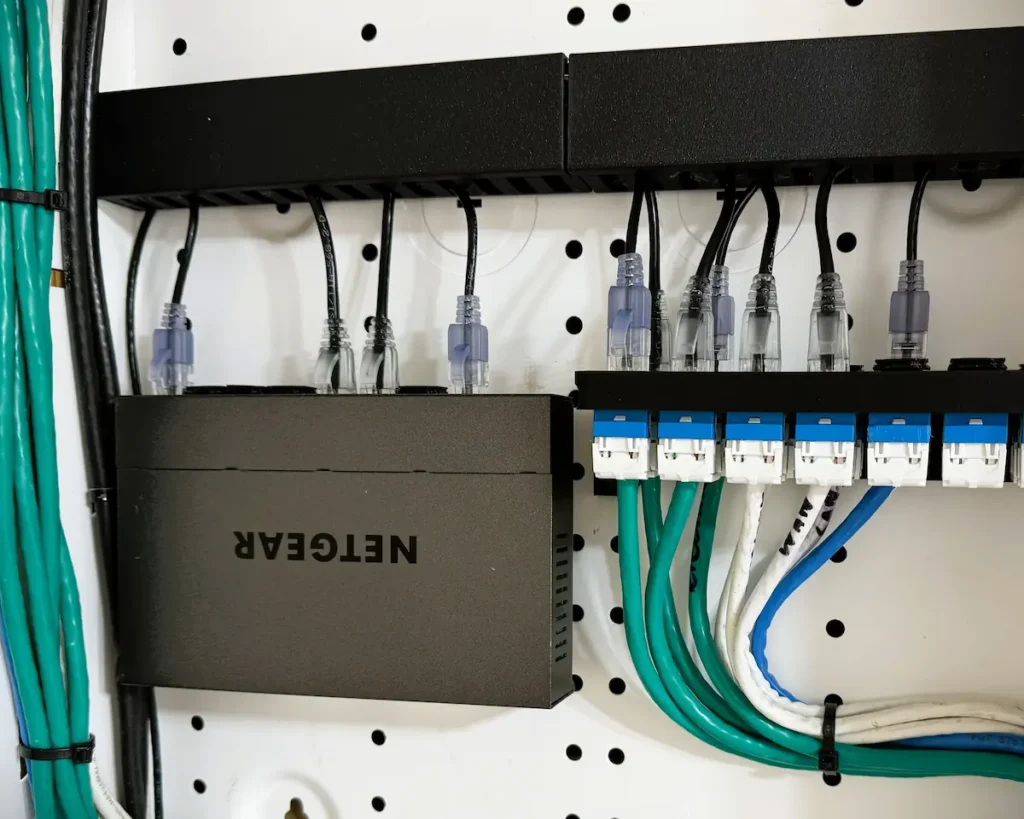
- Maintaining Switched Infrastructure via PoE Injector: Keeping core network gear alive in the structured media center required a clever approach since I couldn’t plug the switch into the UPS all the way on the other side of the house. Instead, I kept the Netgear GS108Tv3 backed up by running it from a PoE injector powered straight from the UPS in the living room. This feeds continuous backup power over the existing Ethernet run right to the switch, ensuring the heart of my wired local network stays online through any power blip without needing a separate UPS tucked away in the media center.
- Pruning Non-Essential House Loads: With hardware scattered across multiple rooms, every single appliance and network node became a budgeting choice. In the washroom’s structured media center, I skipped backing up the whole-house energy monitor and the wireless bridge to the other house since it will lose grid power anyway. Both of those are powered with PoE injectors that live in the structured media center so they could in theory stay online the same way as the switch…but nah. I don’t need the wasted wattage in a power outage. Out in the dining room, I made the same call for my Starlink dish, knowing that keeping it online during a blackout would demand an entirely separate UPS, so it goes down with the grid. If that cellular link ever proves too unstable, I can always drop a replacement battery into my old UPS to keep Starlink alive later on, but for now, keeping costs low wins.
Next Up: Graceful Shutdowns and the NAS
With the power foundation secured, lean, and intelligently budgeted, the infrastructure is finally ready for the next phase. While getting the hardware to stay alive during a blackout is a major milestone, coordinating how everything shuts down gracefully is just as critical. I’ll be diving into the specifics of the Network UPS Tools (NUT) configuration and how it ties into the workflow when I get into the NAS portion of this setup.
While You’re Here…
If you’re interested in more ways to optimize and secure your own home tech setup, check out these other projects from the logbook:
- Energy Monitoring: Turning My Router’s Unused RGB Into an Ambient Energy Dashboard: See how I repurposed a forgotten router light bar to give me passive, at-a-glance status updates on our home’s real-time electricity usage.
- Home Assistant Matter Hub: Local Alexa Control Without Internet Exposure: Learn how I simplified my smart home architecture and improved security by ditching cloud-based relay services in favor of a local Matter bridge.
- Password Security: How “Pepper” Makes Your Saved Passwords Unhackable: Go beyond the password manager and discover the “pepper” method. A simple, effective tactic to ensure your credentials stay safe even if your digital vault is ever compromised.